Inventory that stays accurate across every warehouse
Get real-time control of stock across all your warehouses and branches: live quantities, automatic valuation, low-stock alerts, and a complete movement history for every item. The number on screen is the number on your shelf.
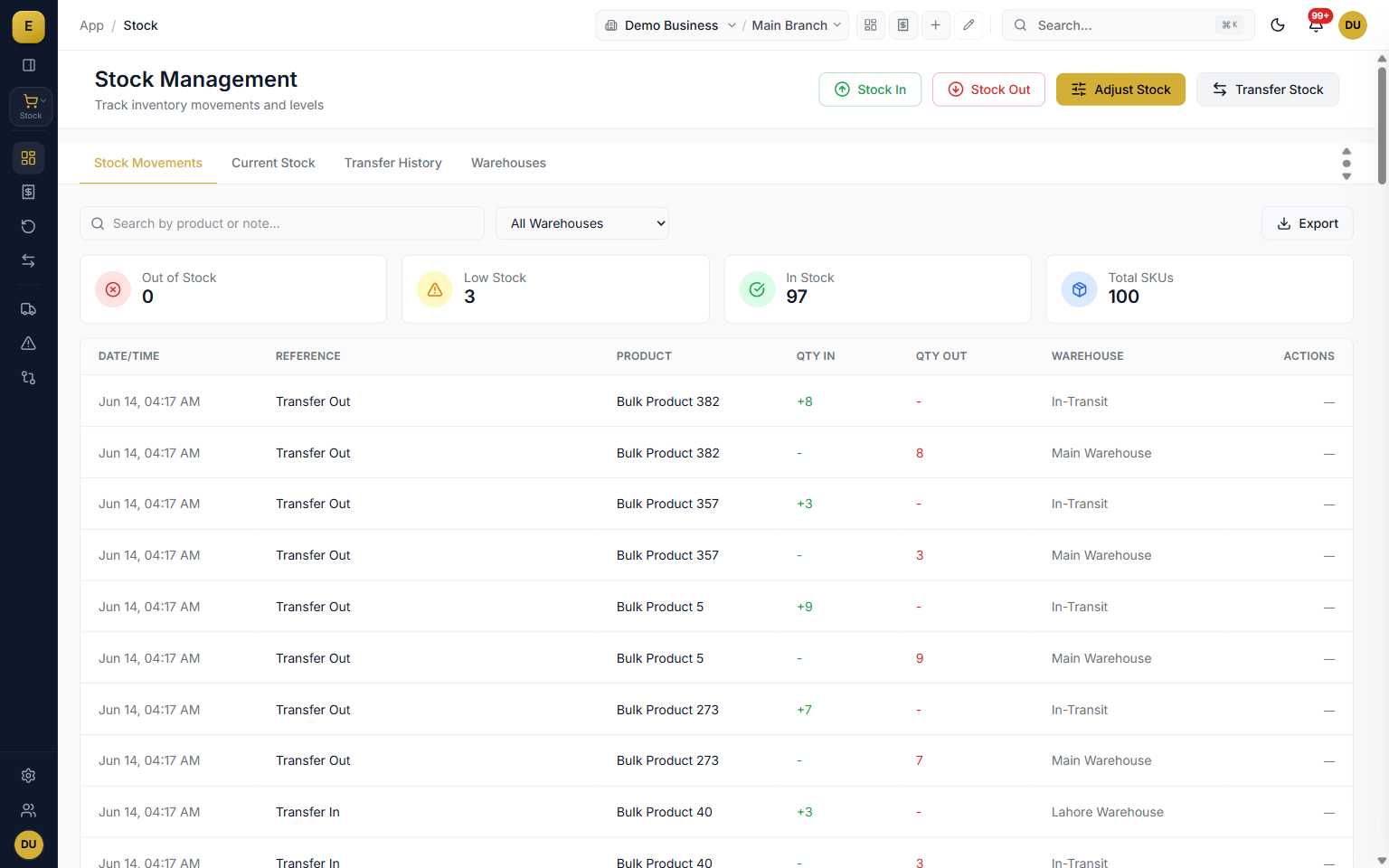
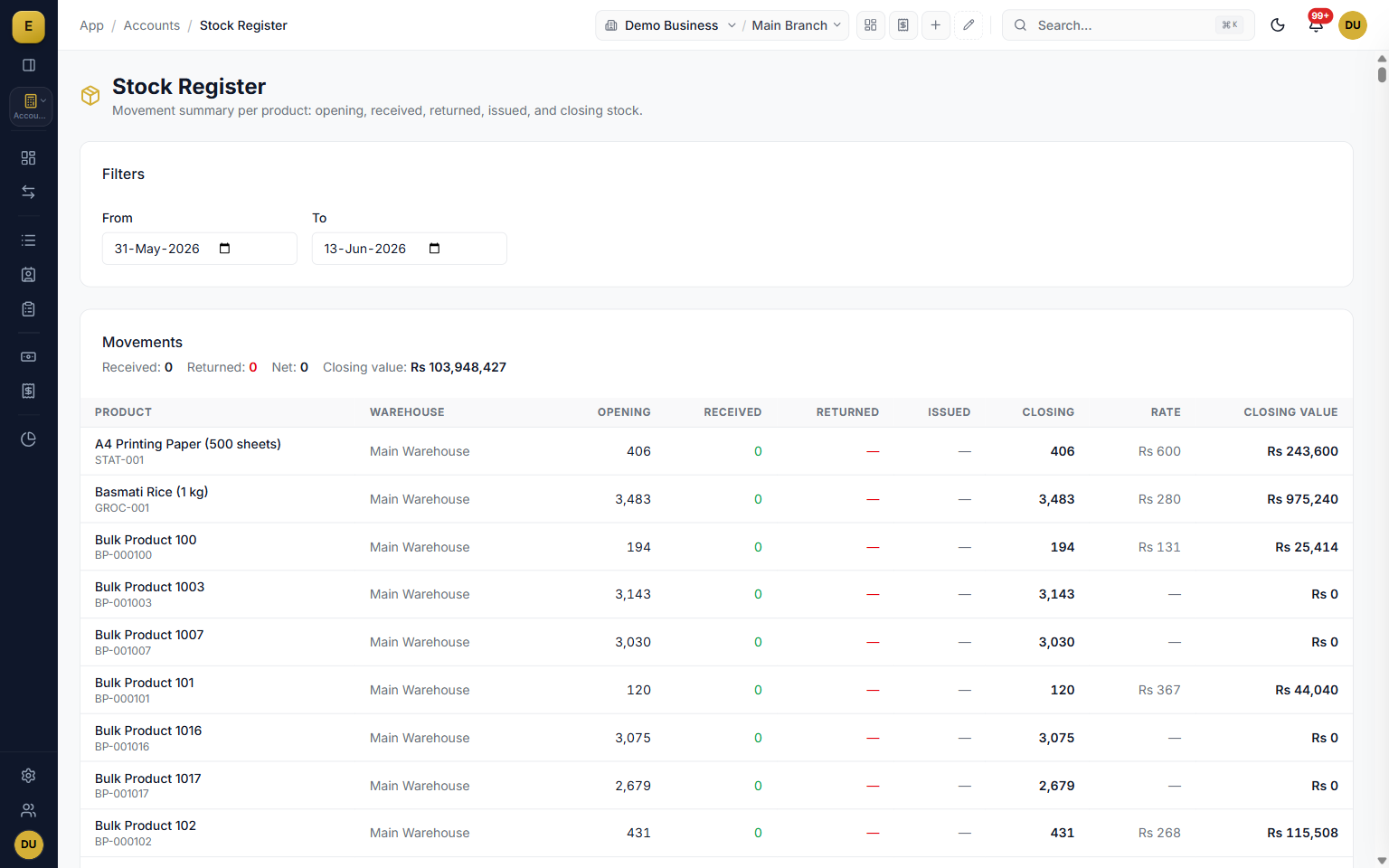
Inventory management in E-Khata Cloud is the live record of what you have, where it is, and what it is worth. Each product carries an actual quantity, a reserved quantity, an available quantity, and a valuation rate per warehouse, all built from stock ledger entries that post the moment a sale, purchase, transfer, or correction happens.
Real-time stock levels and movements
Open the stock dashboard and you see the health of your inventory at a glance. Three cards count your products by status, and the Stock Movements table records the date, document, product, quantity in, quantity out, running balance, and warehouse for each entry. Because every change posts a stock ledger entry, the dashboard balance and the underlying ledger never drift apart.
- Sales invoices and delivery notes deduct stock from the selling warehouse.
- Purchase goods receipts add stock to the receiving warehouse.
- Transfers move stock between warehouses and branches.
- Manual Stock In, Stock Out, and Adjustment entries handle anything outside a formal document.
Current stock and the stock ledger
The Current Stock tab is your live snapshot. For each product in each warehouse it shows the Actual Qty, Reserved Qty, Available Qty, and Valuation Rate, and you can filter by product, warehouse, branch, or posting date and export to CSV. The stock ledger underneath is a dated record of every movement with the running balance after each entry, so you can trace any quantity back to the document that created it.
- Actual, reserved, and available quantity per product per warehouse.
- Valuation rate alongside every balance.
- Filter by product, warehouse, branch, or posting-date range.
- Export the current-stock view to CSV.
Low-stock alerts and AI reorder suggestions
E-Khata watches your minimum stock levels for you. Set a Min Stock Level per product and the dashboard classifies each item automatically: red at zero, yellow below the minimum, and green when healthy. A gold Stock Alerts and Recommendations panel surfaces reorder suggestions, and one click on Reorder pre-fills a purchase order so the buying step is one tap, not a fresh form.
- Per-product minimum stock levels drive automatic status classification.
- Filter alerts by warehouse so a branch manager sees only their shortfalls.
- Reorder suggestions for critical and low items.
- Reorder pre-fills a purchase order from the alert.
Stock valuation and cost accounting
Every stock ledger row carries a valuation rate and a stock value, with the cost method set by your company: FIFO, LIFO, or Weighted Average. Stock In posts a debit to the inventory account, Stock Out posts to cost of goods sold, and transfers post the inter-warehouse cost movement automatically. The result is a valuation figure that flows straight into your balance sheet without a separate spreadsheet.
- FIFO, LIFO, or Weighted Average costing per company settings.
- Automatic inventory and cost-of-goods-sold postings.
- Inter-warehouse cost movement handled on every transfer.
- Stock-transfer-loss journal entries keep the books honest on shortages.
Multi-warehouse and branch stock
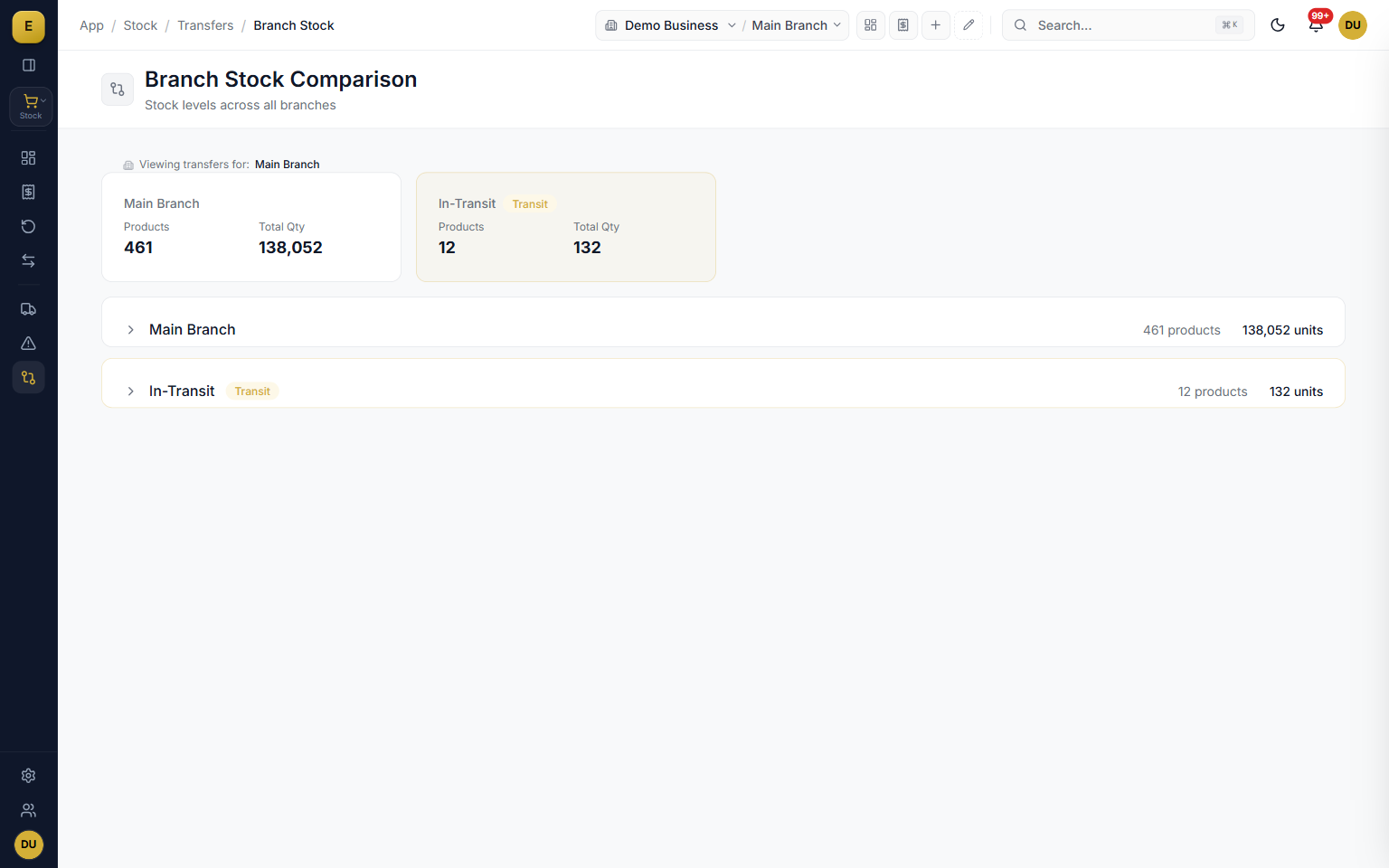
Create as many warehouses as your business needs, each with its own name, code, address, and active status, and optionally tie a warehouse to a branch. Stock balances and valuation are tracked per warehouse, and you can compare the same product across branches side by side. A retail chain can see which shop is short, and a distributor can plan a transfer before a branch runs dry.
- Unlimited warehouses, godowns, and shops under one account.
- Per-warehouse stock balance and valuation.
- Optional warehouse-to-branch mapping.
- Side-by-side branch comparison for the same product.
Branch transfers with in-transit tracking
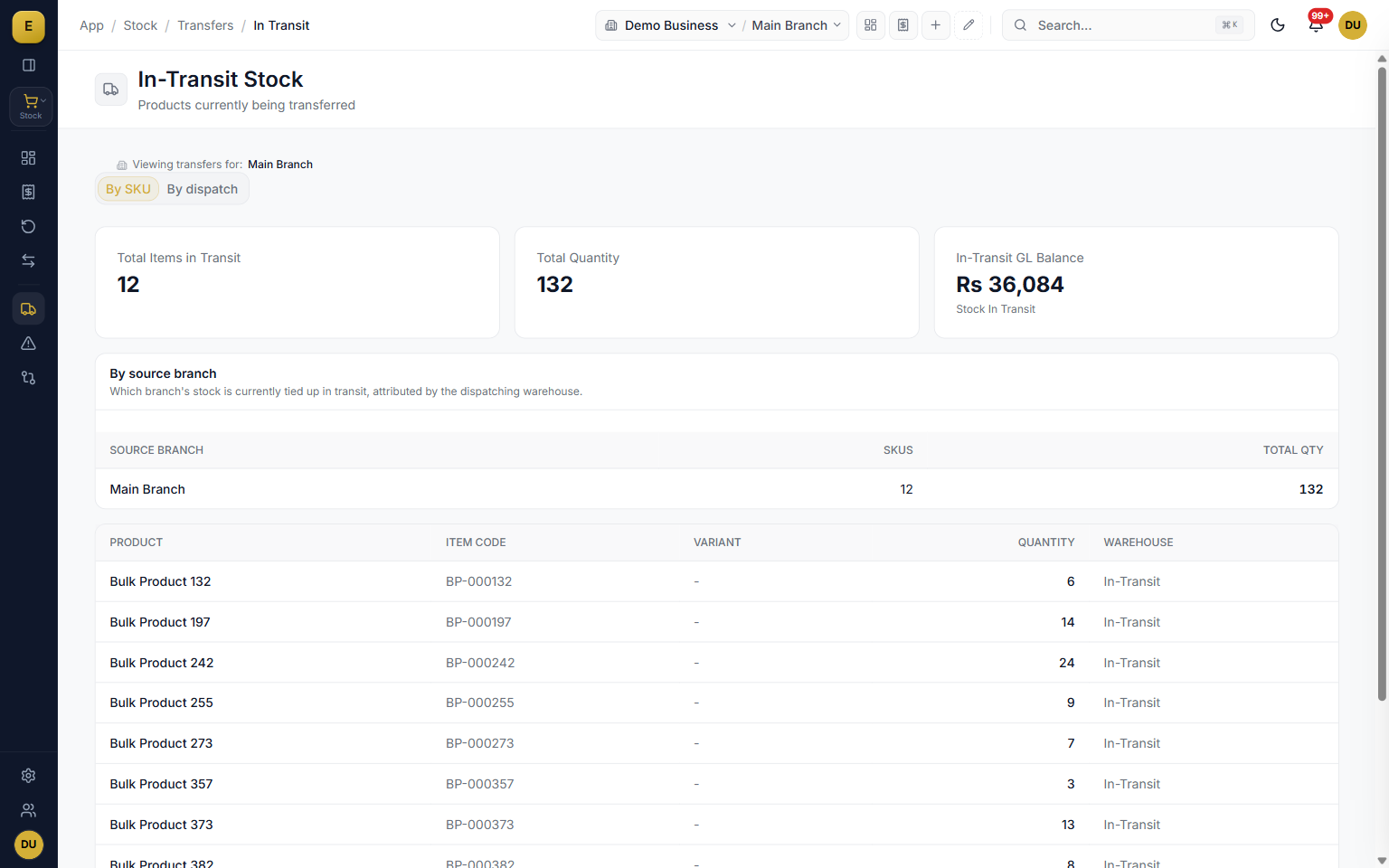
Branch transfers move stock warehouse-to-warehouse across different branches with a gated, auditable workflow: a request is created, an approver approves it, the source dispatches with full transporter details, the goods sit in an in-transit warehouse, and the destination inspects and receives them. Because in-transit stock sits outside both branch balances until it is received, nothing goes missing quietly.
- Four-step request, approve, dispatch, receive tracker.
- In-transit stock is not counted as available at either branch.
- Shortfalls stay flagged against the transfer as a discrepancy.
- Capture transporter name, vehicle, driver, bilty number, and condition.
Discrepancies and stock reconciliation
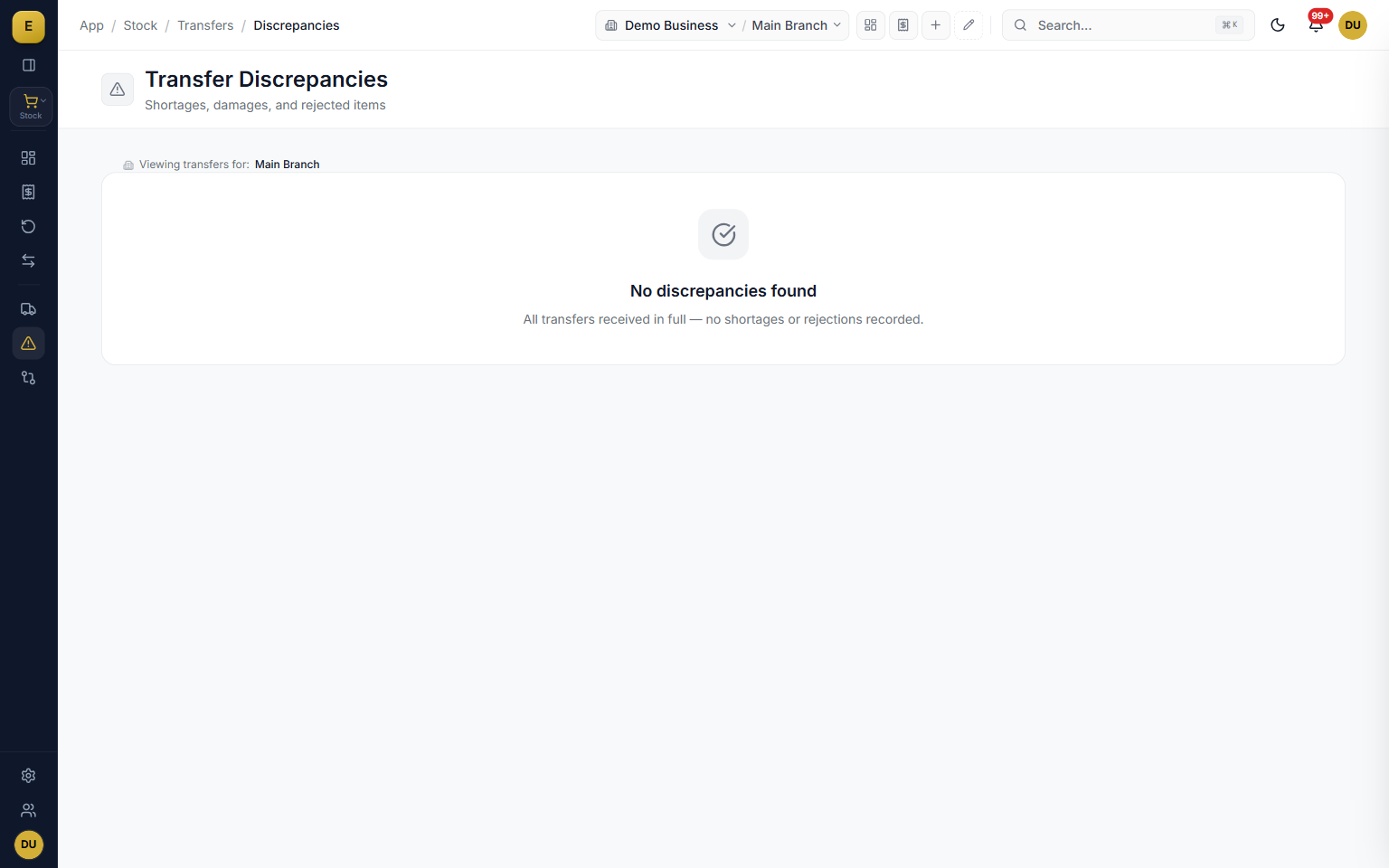
Transfers do not always go perfectly, and E-Khata is built for that. A tri-state receipt lets the receiving team Accept All, mark Partial or Damaged, or Reject All per line, and the discrepancies report compares expected and received quantities with shortage and rejected columns. For physical counts, enter the counted quantity, the system computes the delta, and an adjustment posts to the stock ledger with a reason.
- Tri-state receipt splits accepted, rejected, and shortage per line.
- Discrepancies report with CSV export across a date range.
- Physical-count reconciliation posts the delta as an adjustment.
- Reasons such as stock count correction, damaged, lost or theft, or found stock.
Who it is for
Frequently asked questions
Explore more of E-Khata
See how your business runs on E-Khata.
30-min Zoom or WhatsApp call. We'll walk you through E-Khata with examples that match your business type.

“I or my co-founder personally join every demo call.”
Or message us on WhatsApp: +92 300 1676722 (we reply within 1 hour).