Every business report your books can produce, in one place
E-Khata Cloud Reports gives a Pakistani SME more than 40 ready reports across finance, accounting, sales, purchase, inventory, banking, and tax, all built from the same posted transactions you already record. Pick a date range, set a filter or two, and the report runs.
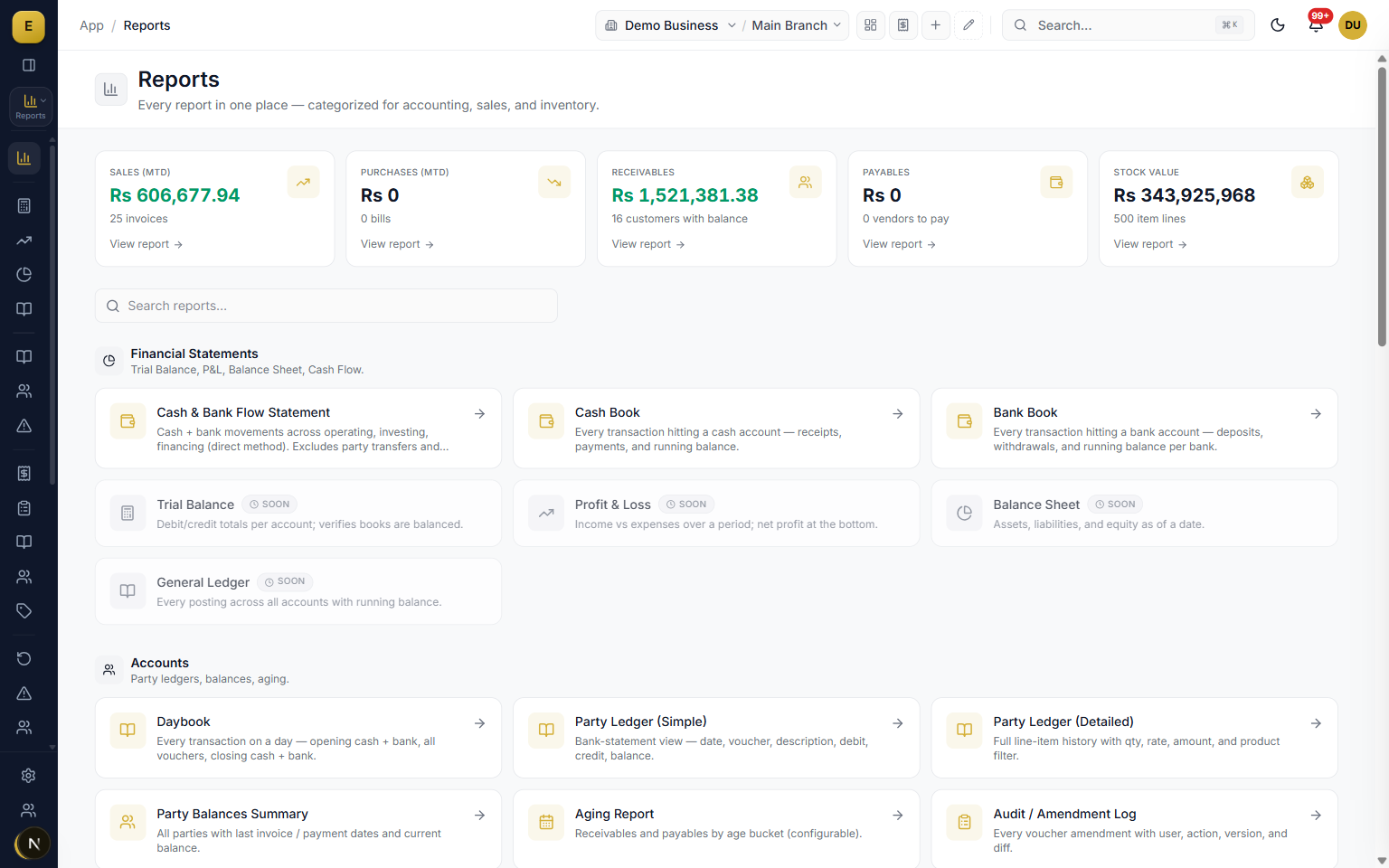
The Reports module is a single center that turns your posted sales, purchases, payments, and stock movements into standard business statements. Because the books update automatically as you work, a report is never out of date and never tallied by hand. Every figure can be opened down to the invoice or voucher behind it, and any report exports to Excel or PDF or shares straight to a customer's WhatsApp.
The full report library
The library is organized into categories so you can find a report by what you need rather than by its name. The groups match the report center, and each report carries the same filter bar and export options. Favorites and recently used sit at the top.
- Financial statements: Trial Balance, Profit and Loss, Balance Sheet, General Ledger, and Cash and Bank Flow Statement.
- Accounts and party reports: party ledgers, party balances, aging, and an immutable audit and amendment log.
- Banking and cheques: Cash Book, Bank Book, Daybook, Cheques Register, and Bank Reconciliation.
- Returns analysis split four ways by register, reason, party, and item.
- More than 40 reports across finance, sales, purchase, inventory, banking, and tax.
Financial statements your accountant and bank expect
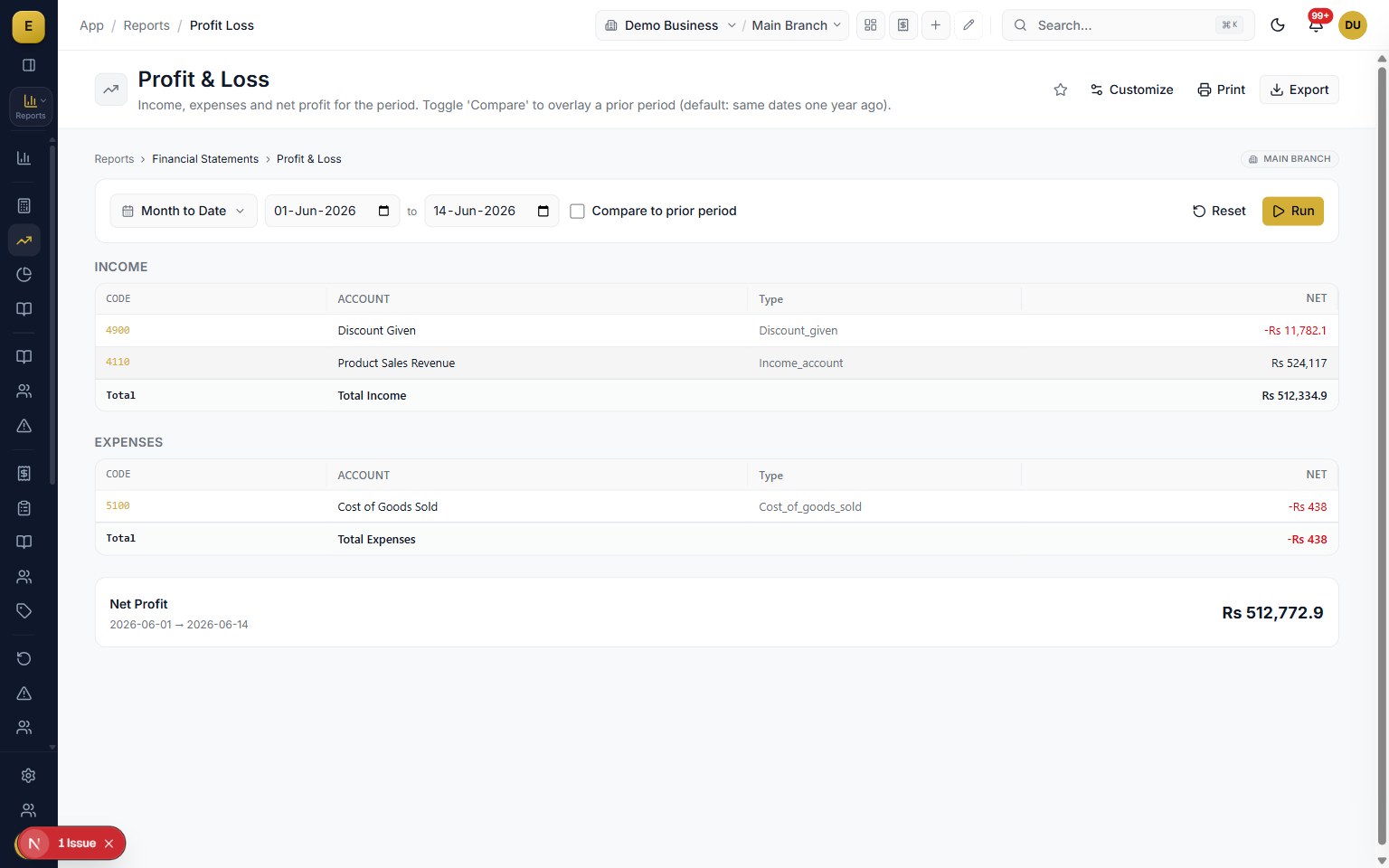
The core accounting statements run from the same posted transactions, so they agree with each other. The Profit and Loss shows income, expenses, and net profit for any period, with an option to compare against the prior period and read the variance. The Balance Sheet gives a point-in-time view of assets, liabilities, and equity.
- Trial Balance lists every account with debit, credit, and balance and a balanced or unbalanced status.
- Profit and Loss covers any period with prior-period comparison and variance.
- Balance Sheet rolls up to Assets = Liabilities + Equity as of a date.
- General Ledger is the full chronological posting history with account and party filters and a running balance.
Party ledgers, balances, and receivables aging
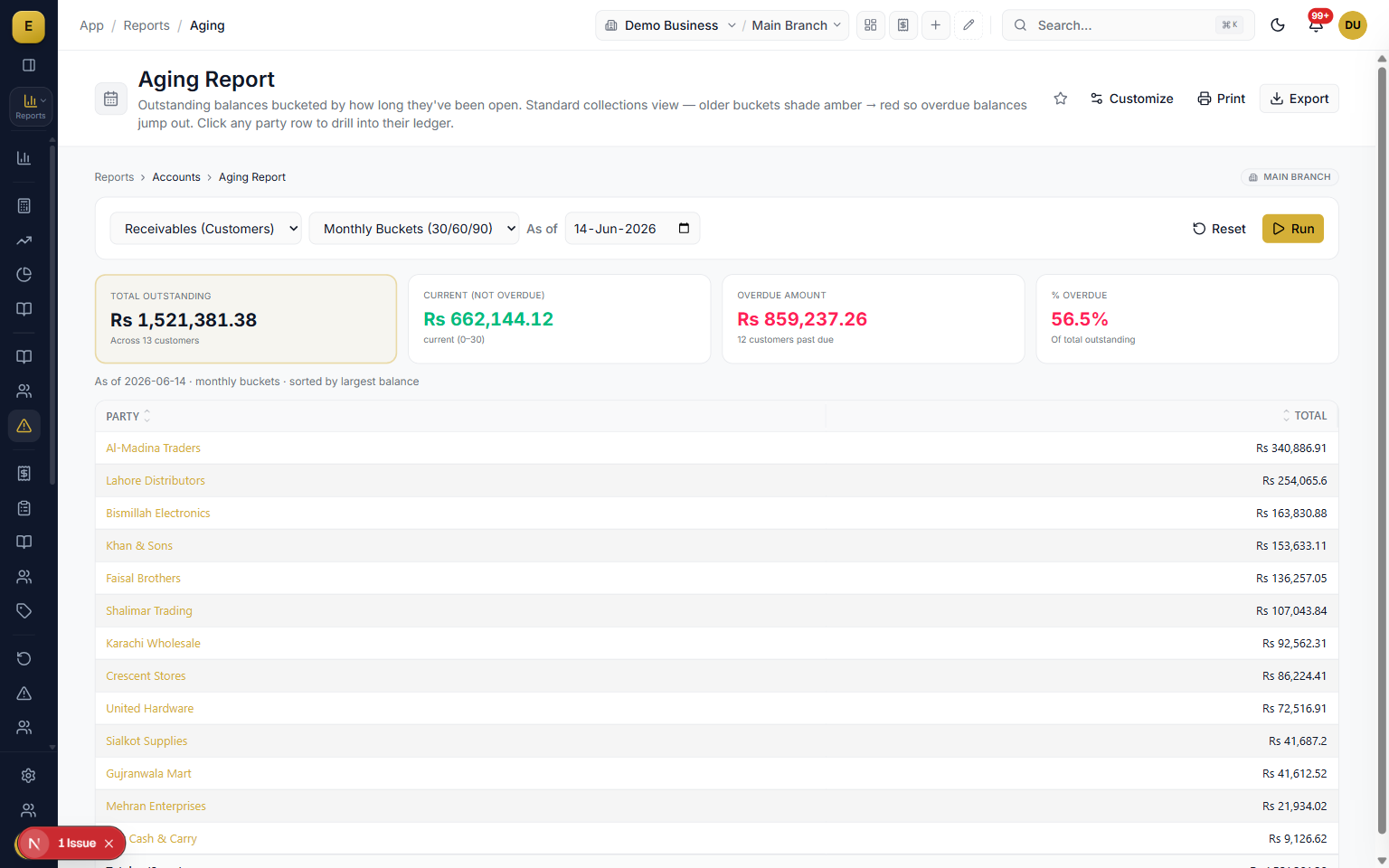
Everything about who owes you and who you owe sits in one place. Party Balances summarizes all customers or vendors with current balance and last transaction date and flags who is carrying udhar. The Aging Report groups receivables or payables into age buckets so overdue balances stand out.
- Party Ledger (Simple) is a bank-statement view of one customer or vendor with a running balance.
- Party Ledger (Detailed) adds every line item with quantity, rate, and an optional product filter.
- Aging Report buckets outstanding balances into Current, 30 to 60, 60 to 90, and over 90 days.
- Audit and Amendment Log keeps an immutable before-and-after record, restricted to Owner and Admin.
Sales, purchase, and returns detail
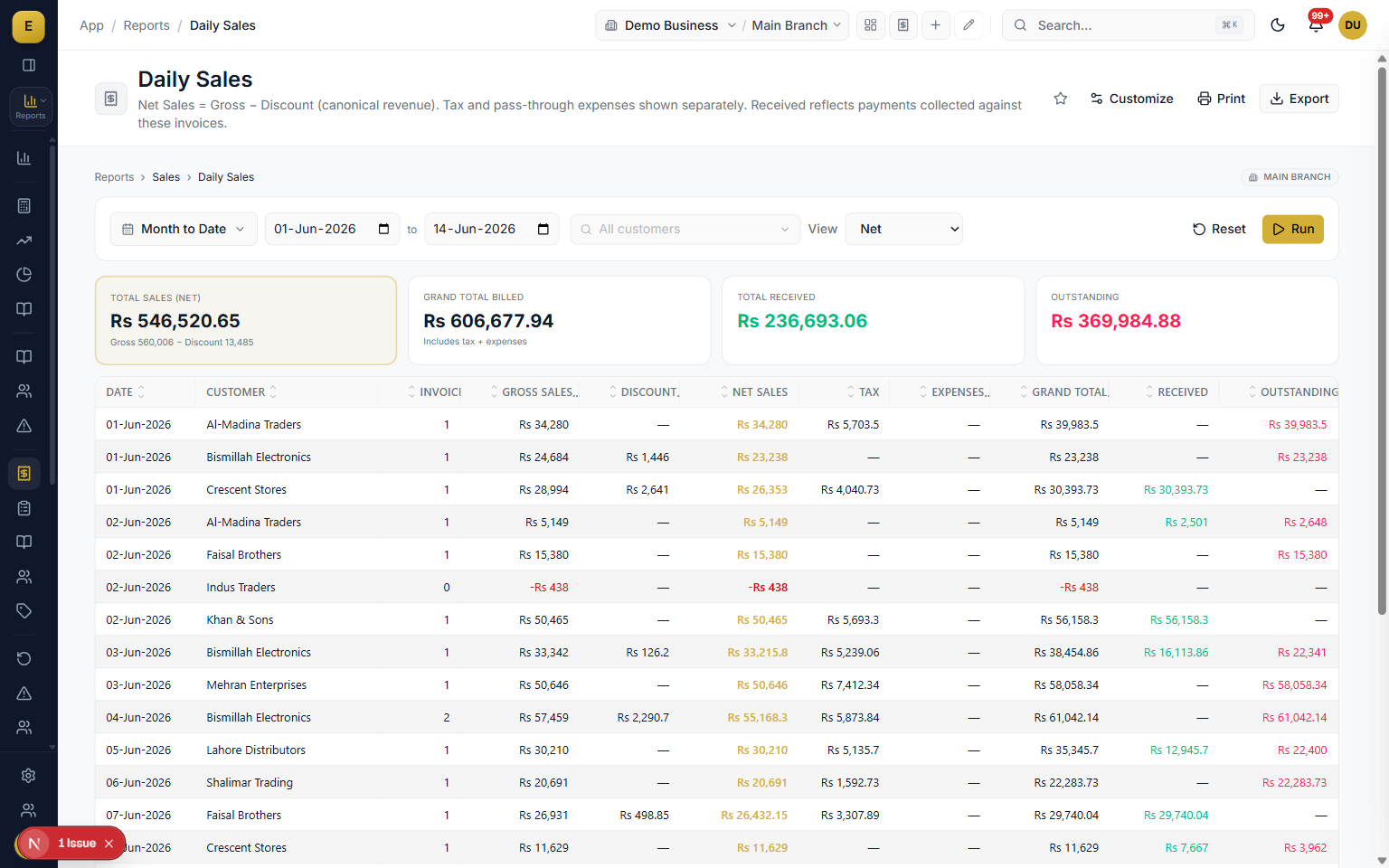
Daily and line-level reports cover what you sell and buy. Daily Sales and Daily Purchases group totals by day with a View toggle for gross, net of returns, or returns only. Sales by Customer and Top Items rank your best accounts and best-selling products, and returns split four ways so you can find the cause.
- Detailed Sales and Detailed Purchase give one row per invoice line with customer or vendor, item, warehouse, quantity, rate, and amount.
- Sales Ledger and Purchase Ledger aggregate by item for total quantity, revenue or cost, and average rate.
- Returns by Reason, by Customer or Vendor, and by Item turn returns into a quality signal.
Inventory valuation and stock movement
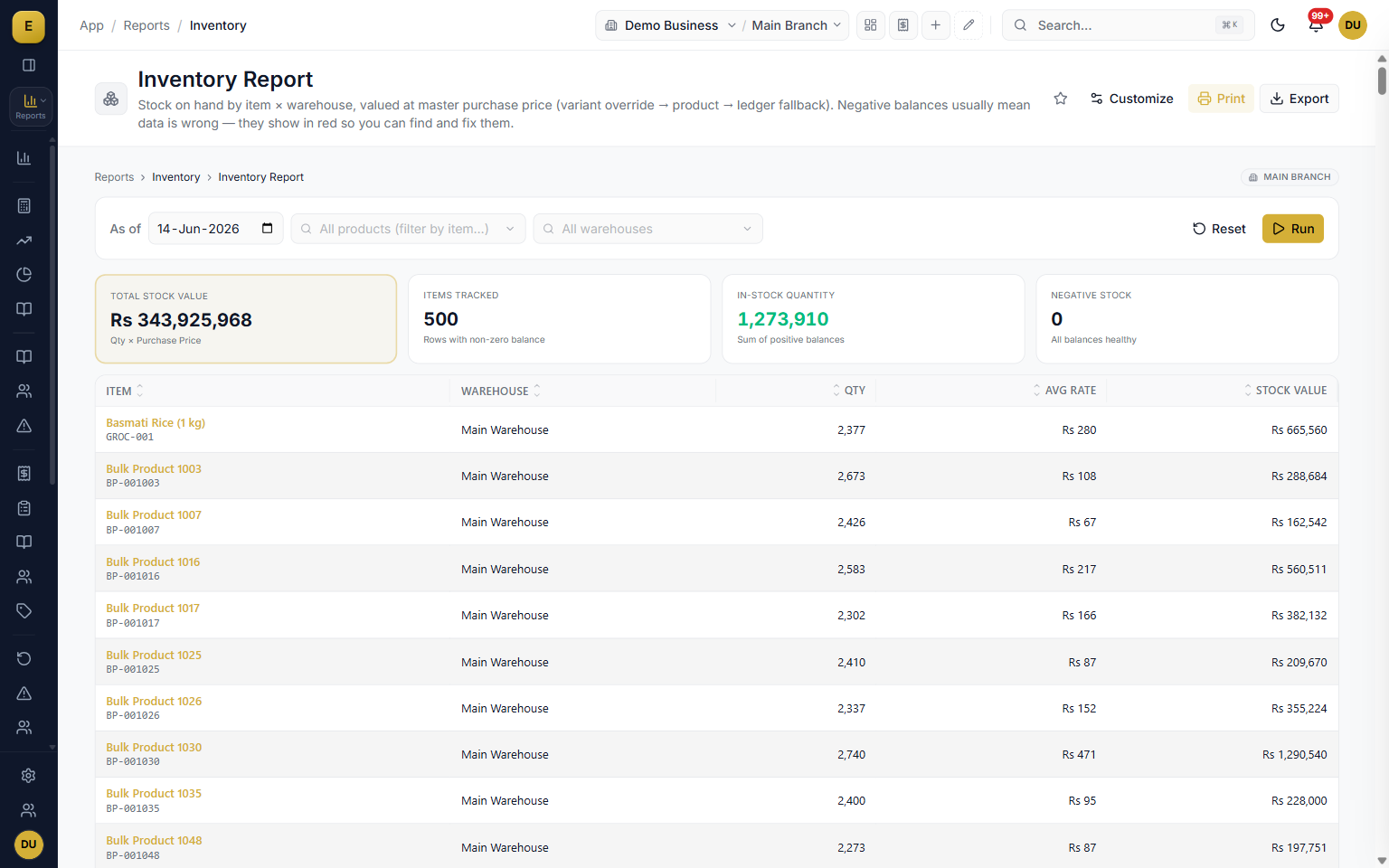
Stock reports show what is on hand, what it is worth, and how it moved. The Inventory Report shows quantity on hand and stock value by item and warehouse as of a date, with negative balances in red. Remaining Inventory Value computes closing stock value by FIFO or Weighted Average.
- Item Movement Ledger is a per-product running stock ledger of every receipt, issue, transfer, and adjustment.
- Sales and Purchase Movement tracks pure quantity flow: opening, purchases, sales, returns, closing.
- Reorder and Low Stock lists items below reorder level with a suggested order quantity, highlighted in red.
- Batch, warehouse stock, and batch-by-warehouse reports handle lot, expiry, and per-warehouse stock.
Filters, date ranges, drill-down, and sharing
The filter bar is the same on every report, so the period you pick and the way you narrow results carry across the whole library. Most summary reports are clickable, so you can open a figure and reach the account, then the transaction, then the source document. Any report can leave the screen in the format the next person needs.
- Date presets such as This Month, Last 3 Months, This Year, and All Time, plus a custom from-to picker and an As Of date for point-in-time reports.
- Narrow by party, product, warehouse, account, and branch from the single sidebar branch picker.
- Excel and CSV keep rows and columns, while PDF keeps the formatted layout with page size and orientation choices.
- WhatsApp and email send the PDF with your filters already applied, and Favorites star the reports you run often.
Who it is for
Frequently asked questions
Explore more of E-Khata
See how your business runs on E-Khata.
30-min Zoom or WhatsApp call. We'll walk you through E-Khata with examples that match your business type.

“I or my co-founder personally join every demo call.”
Or message us on WhatsApp: +92 300 1676722 (we reply within 1 hour).