One product catalog that runs your sales, stock, and tax
Build a product once through a seven-step form, and that record drives your invoices, stock ledger, and reports without re-typing anything. Made for Pakistani wholesalers, distributors, manufacturers, and retailers.
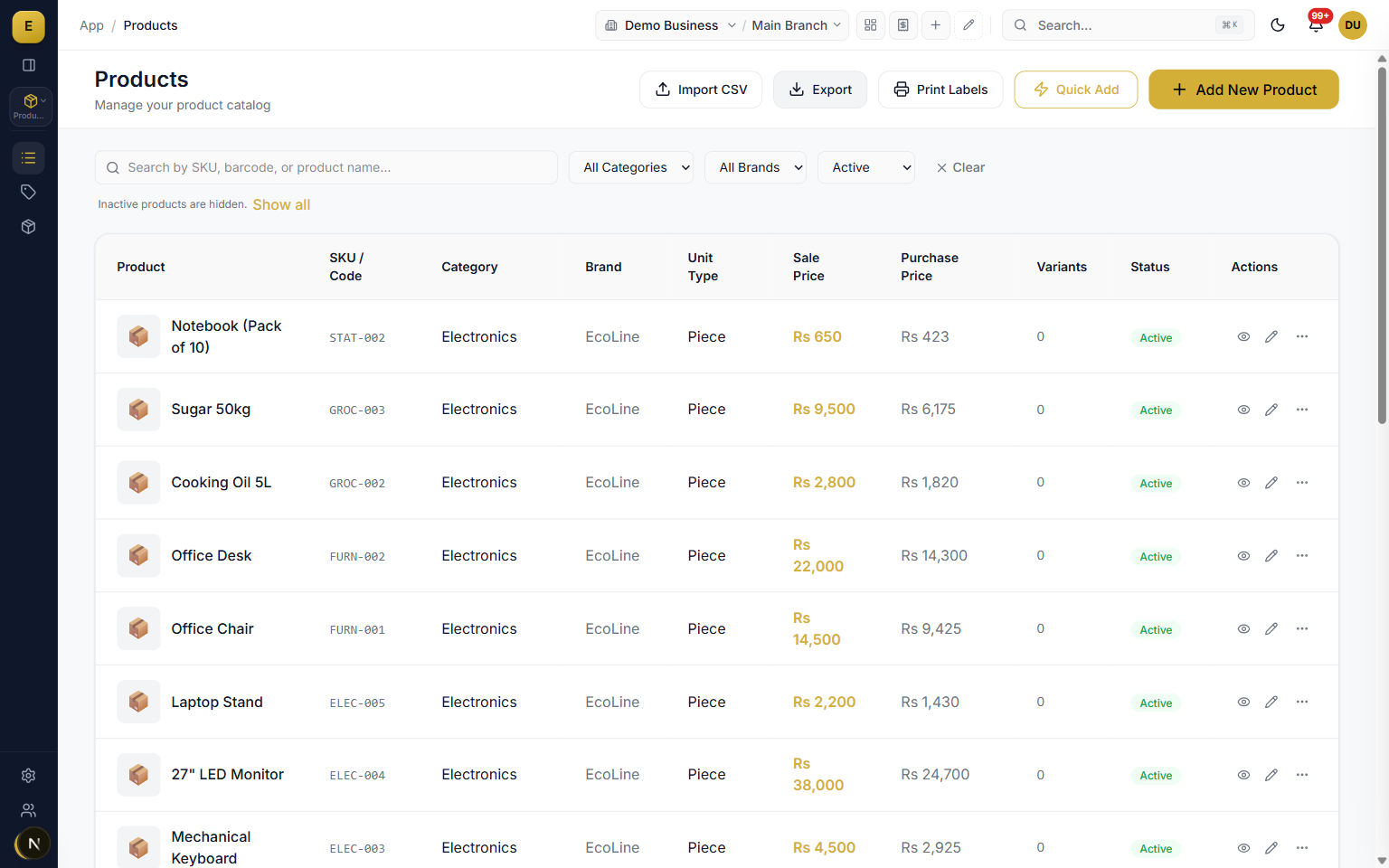
E-Khata Cloud gives you a single product catalog where every item carries its own units, prices, tax, barcodes, and stock rules. The catalog supports English and Urdu names, multiple selling units like piece, dozen, and carton, sale and purchase pricing, per-product sales tax, multiple barcodes, and product images. You can type items one at a time, edit them in a grid, or import hundreds at once from a CSV file.
What is a product catalog in E-Khata Cloud
A product catalog is the master list of everything your business buys, stocks, and sells. Each product is one record that holds its name and Urdu name, item code, category and brand, unit of measure, sale and purchase price, tax rate, barcodes, images, and stock rules. Because every sale, purchase, and stock movement points back to this record, the catalog is the single source of truth for the rest of the system.
- One record per product, reused across invoices, stock, and reports.
- Holds name, Urdu name, SKU, category, brand, and unit of measure.
- Carries sale and purchase price, tax rate, barcodes, and images.
- Single source of truth for sales, purchase, and stock movement.
The seven-step product builder
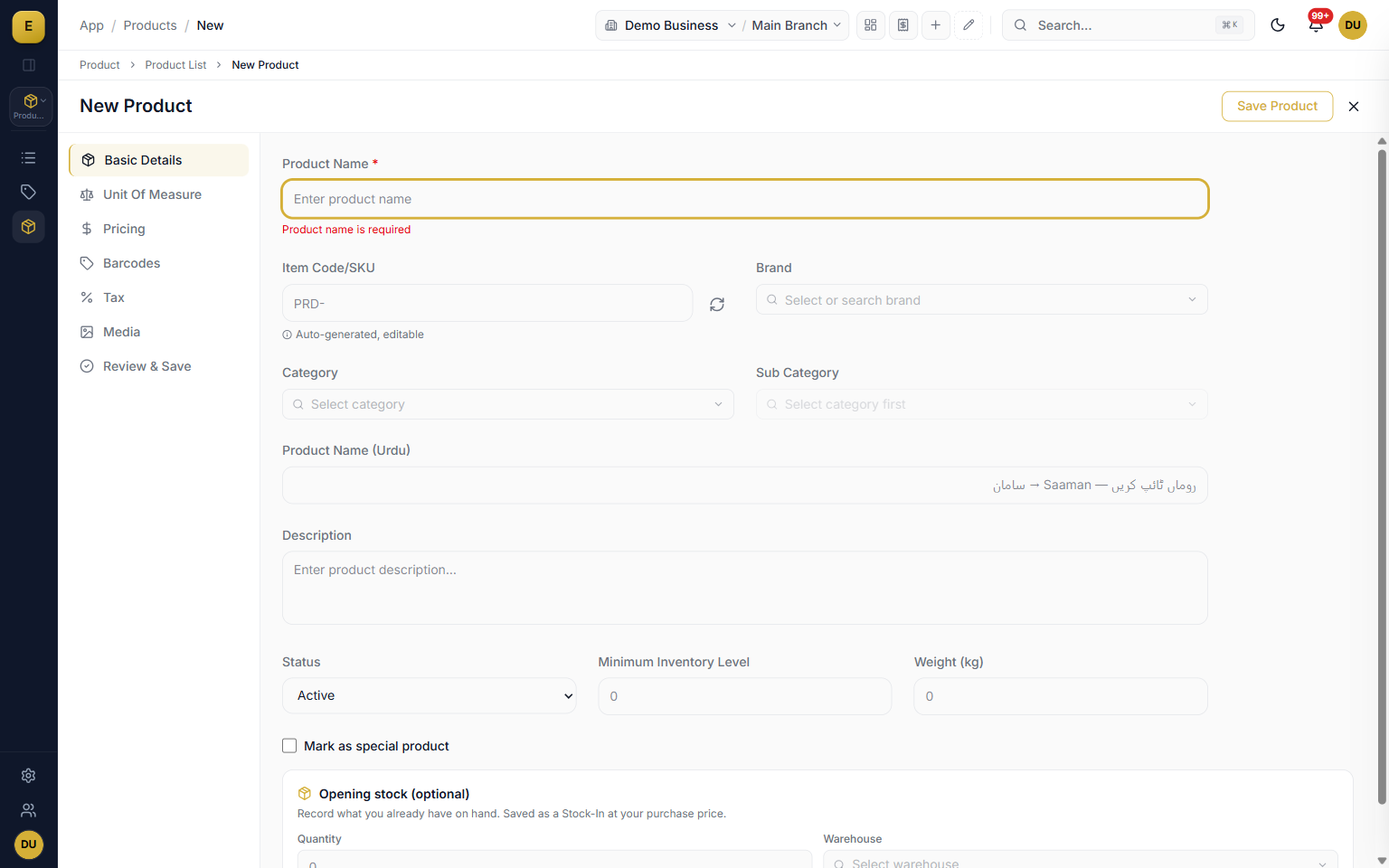
When you click New Product, the form opens with a sidebar of steps so you can move through a product in order or jump to any section. The auto-focus lands on the product name so you can start typing right away. You can Save Draft at any point, then Save and Add Another to keep entering items, or Save and Close when you are done.
- Basic Details sets name, SKU, Urdu name, category, brand, and status.
- Unit of Measure sets base units and separate sale and purchase units.
- Pricing covers sale, purchase, min, and max price with discounts.
- Barcodes, Tax, and Media steps add codes, rates, and images.
- Review shows the product as it will be saved and flags missing fields.
Units, pricing, and per-product tax
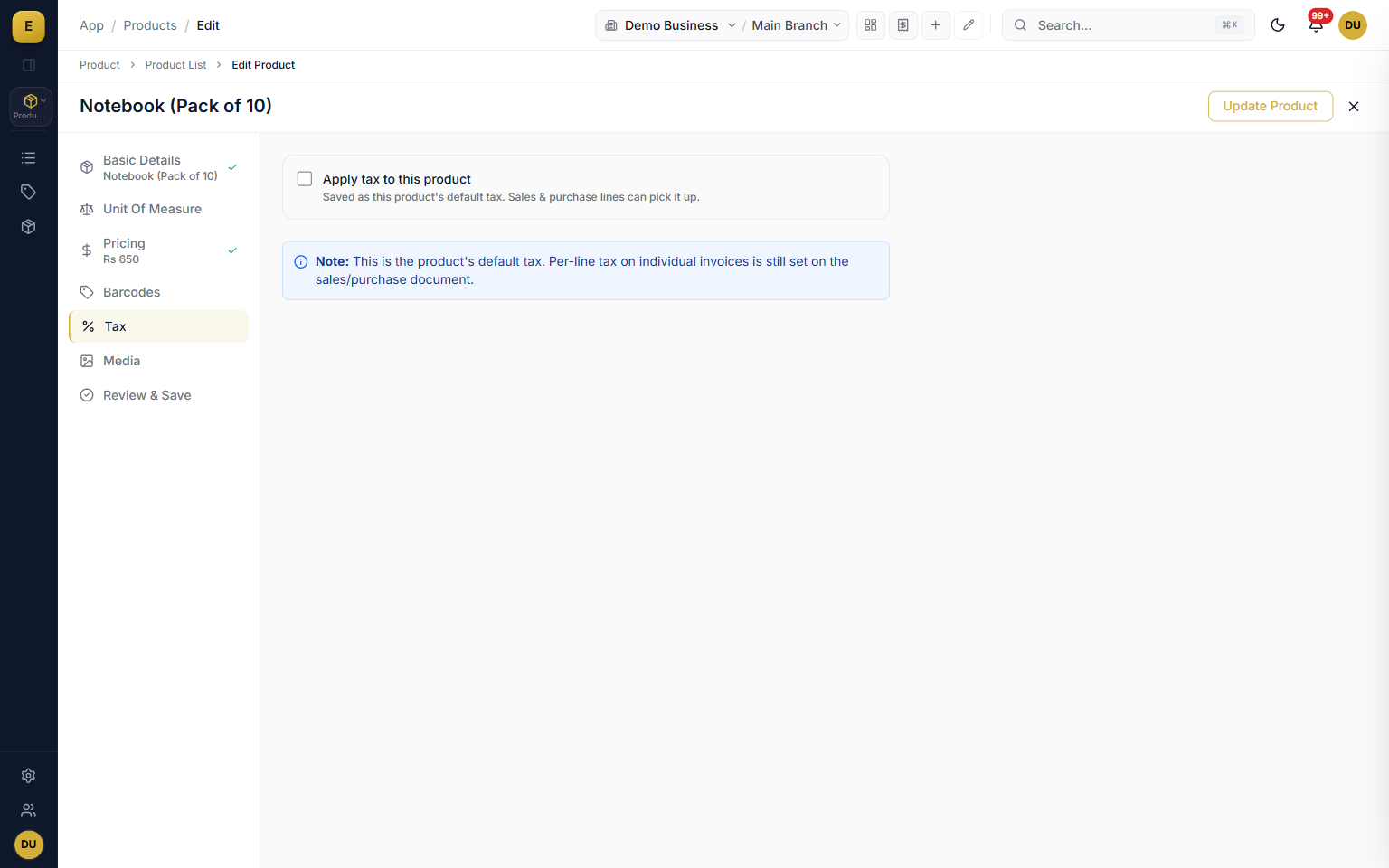
Set the base unit a product is counted in, then define separate default sale and purchase units so you can buy in cartons and sell in pieces. Enter sale and purchase price with optional min and max boundaries plus discount rules. Turn tax on or off per product, pick a rate from presets like GST 17 percent, and add a further tax tier for provincial or additional tax.
- Base unit plus separate default sale and purchase units with conversions.
- Sale, purchase, min, and max price with percentage or fixed discounts.
- Per-product tax rate from presets such as No Tax, GST, and Exempt.
- Further tax tier and a tax-inclusive toggle for FBR-ready setup.
Categories, brands, and product media
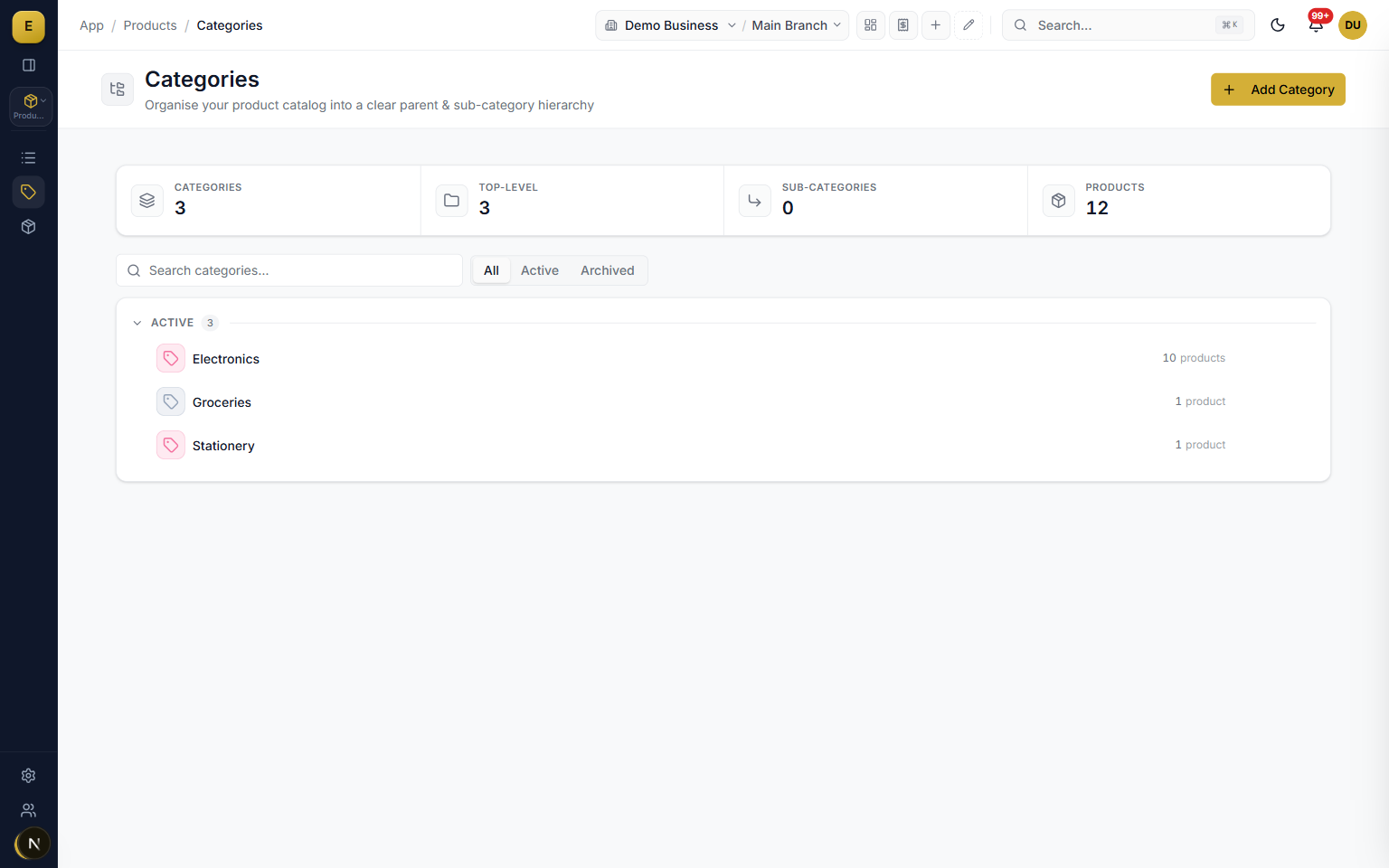
Products are organised with categories and brands. Categories are a tree where a parent can hold child categories several levels deep, and each shows a count of how many products sit under it. Brands are a flat list with a status toggle. Upload product images and videos by dragging files onto the dropzone, and the first image becomes the primary thumbnail shown in the list.
- Categories nest as a parent and child tree with a product count on each node.
- Brands are a flat list with a status toggle, added inline or on their own screen.
- Custom attributes like colour, size, or material can drive variants.
- Drag-and-drop media with a primary thumbnail and sort order.
The product list and inline editing
The product list is an Excel-like grid that loads 25 rows per page and supports fast server-side search on name, Urdu name, item code, and barcode. Filter by category, brand, product type, and status, and sort by any main column. Turn on Edit Mode to edit cells in place, with changed cells marked by a gold dot and saved in one go.
- Server-side search matches name, Urdu name, item code, and barcode.
- Filter by category, brand, product type, and status, then sort any column.
- Edit Mode makes text, dropdown, and numeric cells editable in place.
- Quick-add rows create products in the grid with an auto-generated SKU.
- Duplicate a product to copy pricing, tax, units, and attributes.
CSV import and export
You do not have to type a whole catalog by hand. Import products from a CSV file up to 5 MB, with a required name column plus optional columns for item code, barcode, prices, category, and brand. The importer is forgiving about header naming and gives you a per-row report of created, skipped, and error rows. Export reverses the flow and downloads the current filtered view as a safe CSV.
- Import up to 5 MB with a required name column and optional detail columns.
- Forgiving headers so underscore, space, and camelCase variants all work.
- Per-row report of how many products were created, skipped, or had errors.
- Export the current filtered view as a CSV that is safe to open.
Who it is for
Frequently asked questions
Explore more of E-Khata
See how your business runs on E-Khata.
30-min Zoom or WhatsApp call. We'll walk you through E-Khata with examples that match your business type.

“I or my co-founder personally join every demo call.”
Or message us on WhatsApp: +92 300 1676722 (we reply within 1 hour).