Run Every Branch From One Account
Run all of your shops, godowns, and factories inside a single business account, with each branch keeping its own sales, stock, receivables, and reports. Head office sees the whole picture while branch staff see only the branch they are assigned to.
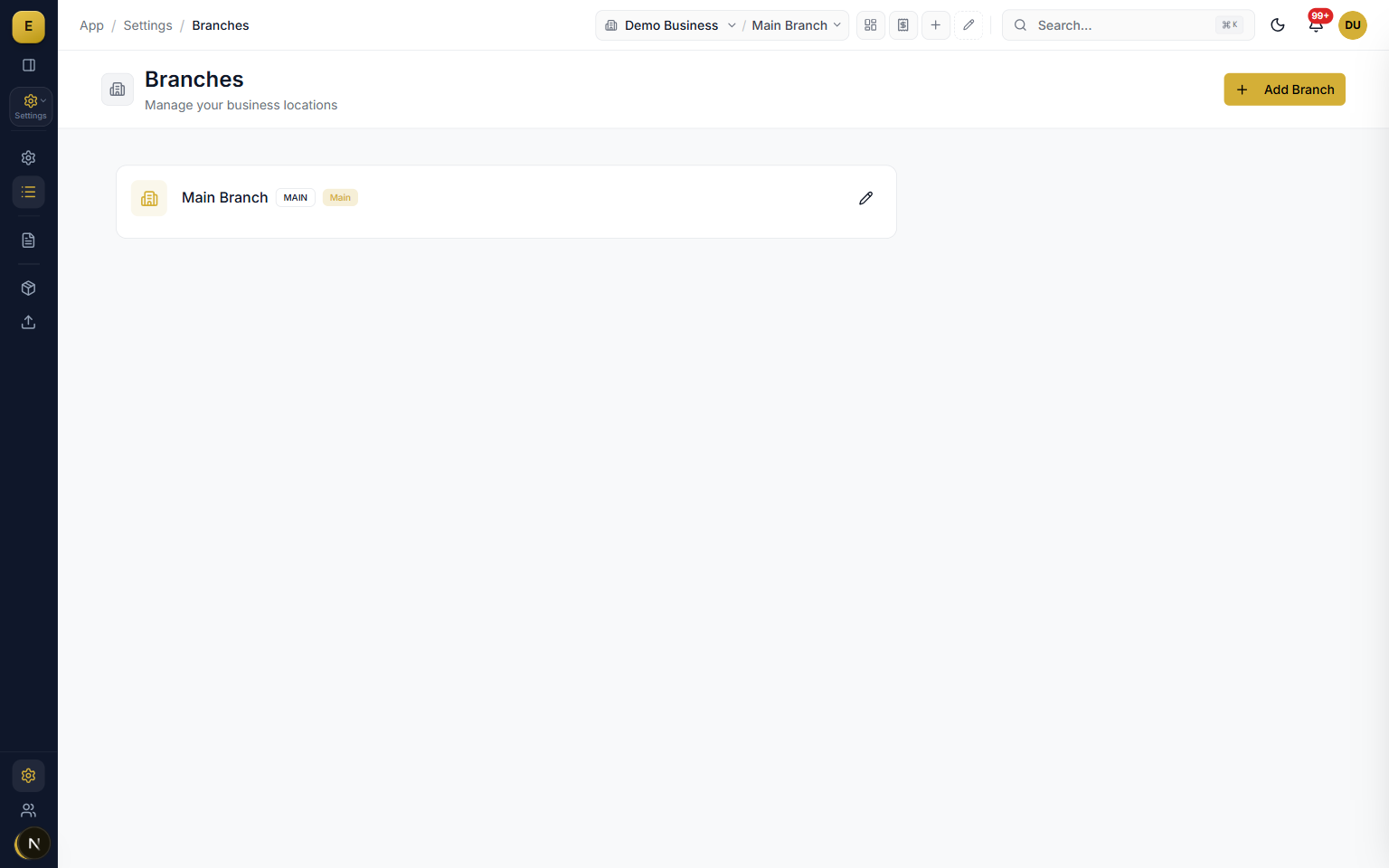
E-Khata Cloud lets you run all of your shops, godowns, and factories inside a single business account, with each branch keeping its own sales, stock, receivables, and reports. You set up your products, chart of accounts, and tax settings once, then reuse them across every location. This is built for the wholesaler, distributor, retailer, or manufacturer who has outgrown one shop and one bahi khata.
What is a branch in E-Khata Cloud
A branch is an operational and financial unit inside your business: a shop, a depot, a godown, or a factory with its own sales, billing, receivables, and reporting. Every business starts with an auto-created Main branch at registration, and you add more locations as you grow. A warehouse is different: it is a storage location for stock, and a single branch can hold its inventory across one or more warehouses.
- Each branch carries its own sales, billing, receivables, and reports.
- A Main branch is created automatically when you register.
- Use branches for separate accounts per location, warehouses for where goods physically sit.
Create and manage branches
You manage all of your locations from Settings, under Branches. Each branch carries a small set of fields so it is easy to set up and easy to read in a list. Because every branch lives in the same business account, a new location starts with your existing product catalog, customer list, chart of accounts, and tax rules already in place.
- Branch Name is required, with optional Code, City, Phone, and Address fields.
- Codes show as a badge in the list and the system can auto-generate one.
- Activate or deactivate branches to control which appear in pickers, without losing history.
- The Main branch is protected and cannot be deactivated.
Branch context switching
Branch context is how you tell the app which location you want to see. At the top of the navigation there is a Business / Branch pill. Pick a single branch and the whole app narrows to that location, or pick All branches for the consolidated view. The client sends an x-branch-id header so figures are scoped at the source, not just filtered on screen.
- Switching is instant, with no logging out and no second account.
- If a user lands without a valid branch, the app falls back to the Main branch.
- Your last choice is remembered between sessions.
- A context indicator under page headers shows which scope you are viewing.
Branch-scoped data and permissions
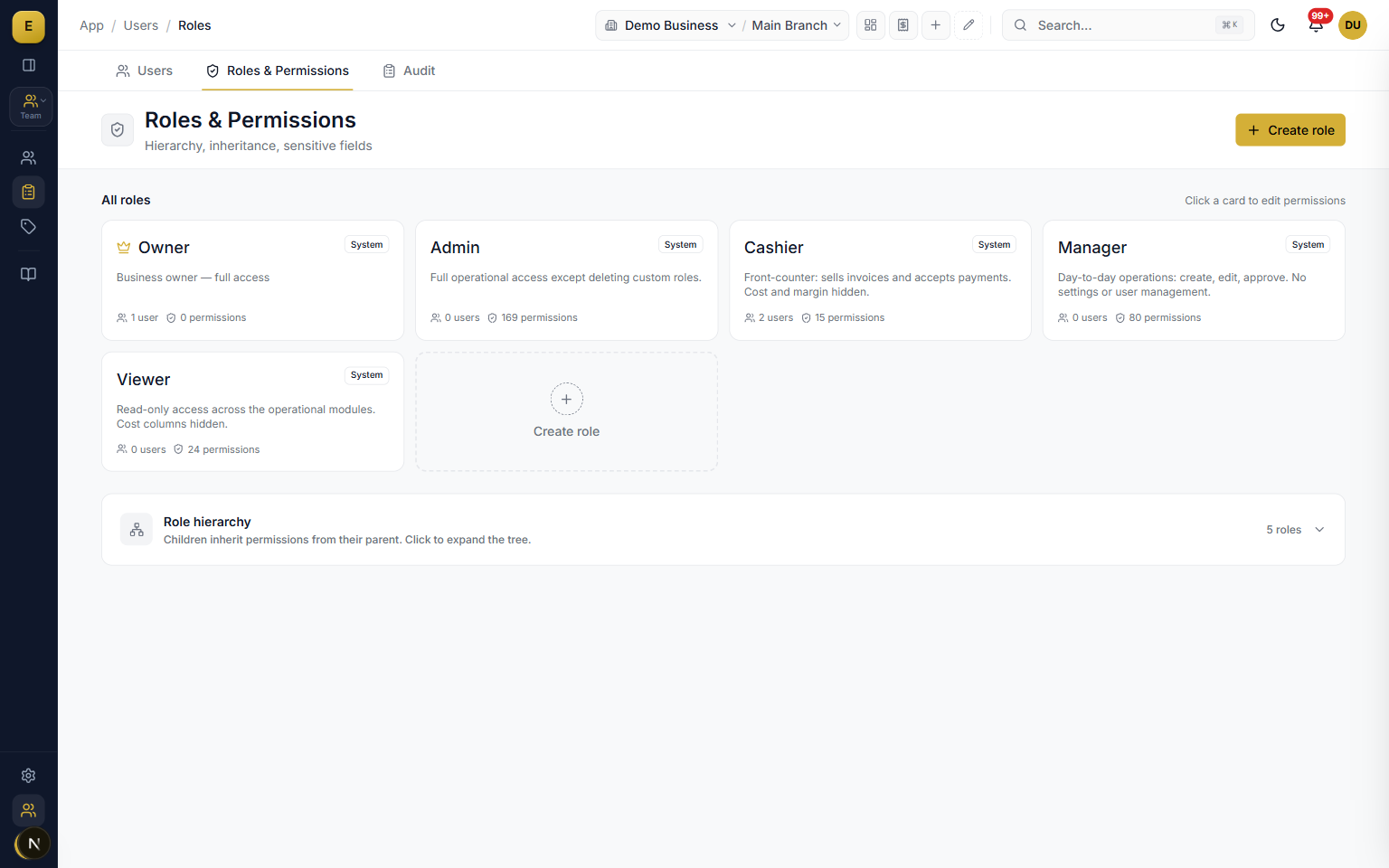
Every sale, purchase, payment, and stock movement is tagged to the branch where it happened, which keeps one location's figures from leaking into another. When you invite a team member, you choose which branches they can work in, from a single shop to all of them. Roles add a reusable layer so you define a branch scope once and apply it to many users.
- User-level scope sets all branches or an explicit list per team member.
- Role-level data scope rules further narrow what a role can read.
- A cashier stays tied to one shop while a regional manager or owner gets every location.
- This follows least-privilege practice and supports segregation of duties.
Inter-branch stock transfers
Stock moves between locations through a structured transfer, not a quiet edit. You create a branch transfer that records the items and quantities leaving the source branch and arriving at the destination, with a from-branch, to-branch, from-warehouse, and to-warehouse. The source branch stock decreases and the destination branch stock increases, with both sides linked by the same transfer document.
- Request, approve or reject, dispatch, receive, then reconcile.
- Confirmation on receipt prevents goods in transit from being counted twice.
- An In-Transit pseudo-branch holds inventory in flight so it is visible but not yet credited.
Consolidated multi-branch view
When All branches is selected, reports roll every location into one set of figures. The Branch Stock Comparison view shows stock grouped by branch with summary cards for product count and total quantity, plus expandable detail rows for per-product quantities. Consolidated reporting still respects scope rules, so a restricted member sees a true number for their permission level while head office sees every location.
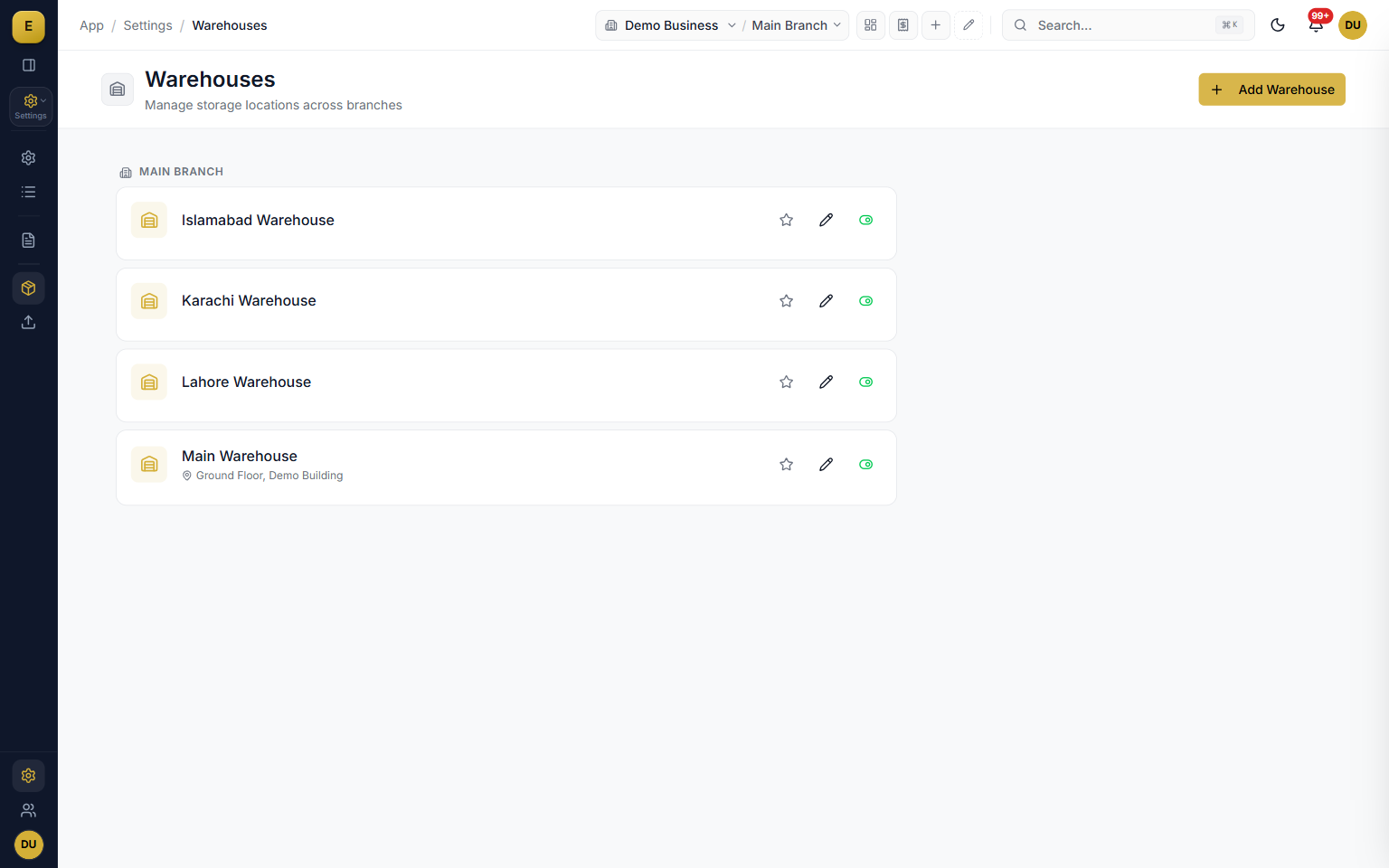
- Warehouses belong to branches, with a Main Warehouse created alongside each branch.
- Stock operations always specify both a branch and a warehouse.
- Branch scope and warehouse scope can be set independently per user.
Who it is for
Frequently asked questions
Explore more of E-Khata
See how your business runs on E-Khata.
30-min Zoom or WhatsApp call. We'll walk you through E-Khata with examples that match your business type.

“I or my co-founder personally join every demo call.”
Or message us on WhatsApp: +92 300 1676722 (we reply within 1 hour).