Sales Software That Runs Your Whole Sales Cycle
E-Khata Cloud handles the full sales document lifecycle for a Pakistani business: quotation, sales order, delivery note, invoice, and return, all from one screen. Type the customer, type the products, and the books, stock, and customer ledger update on their own.
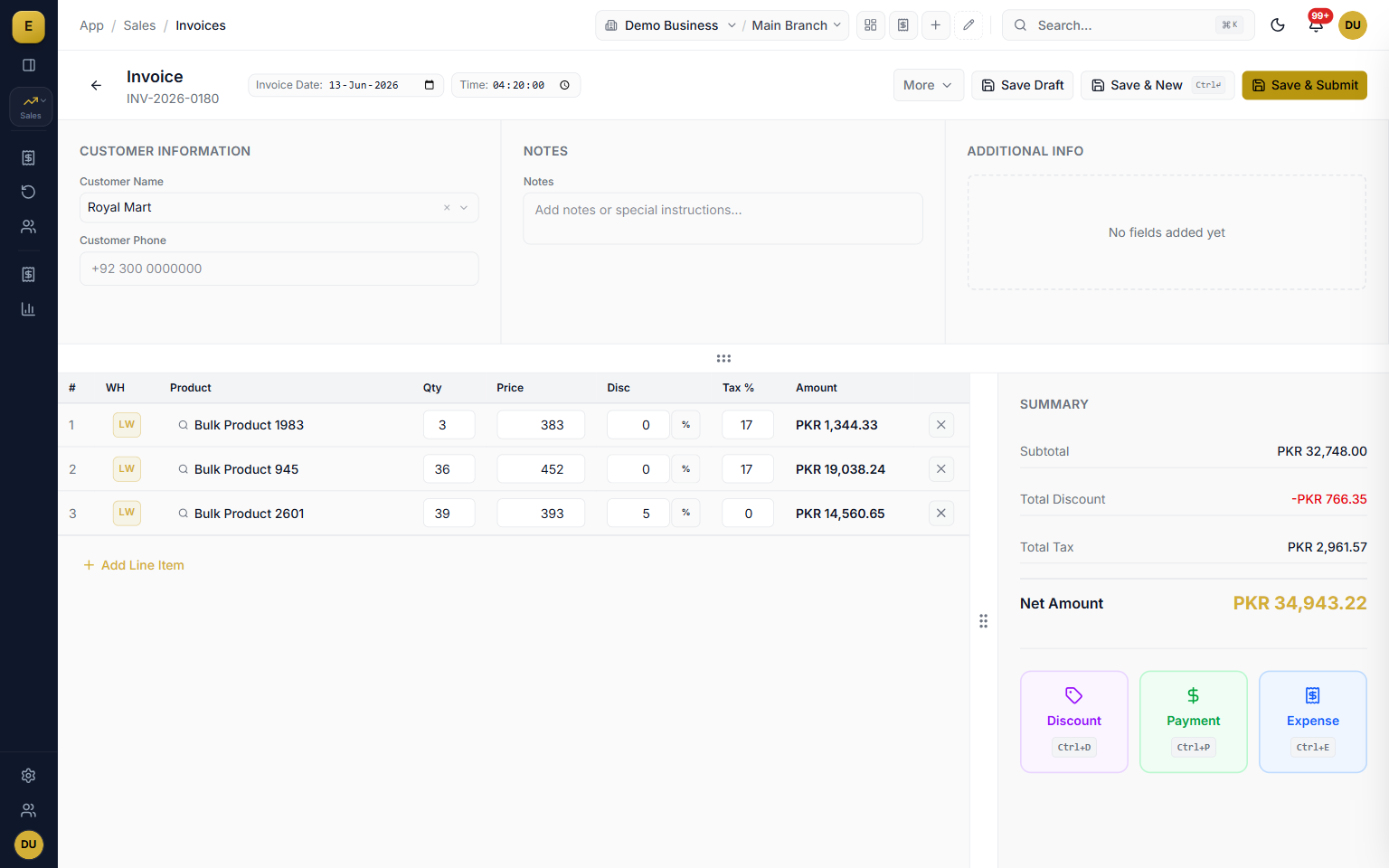
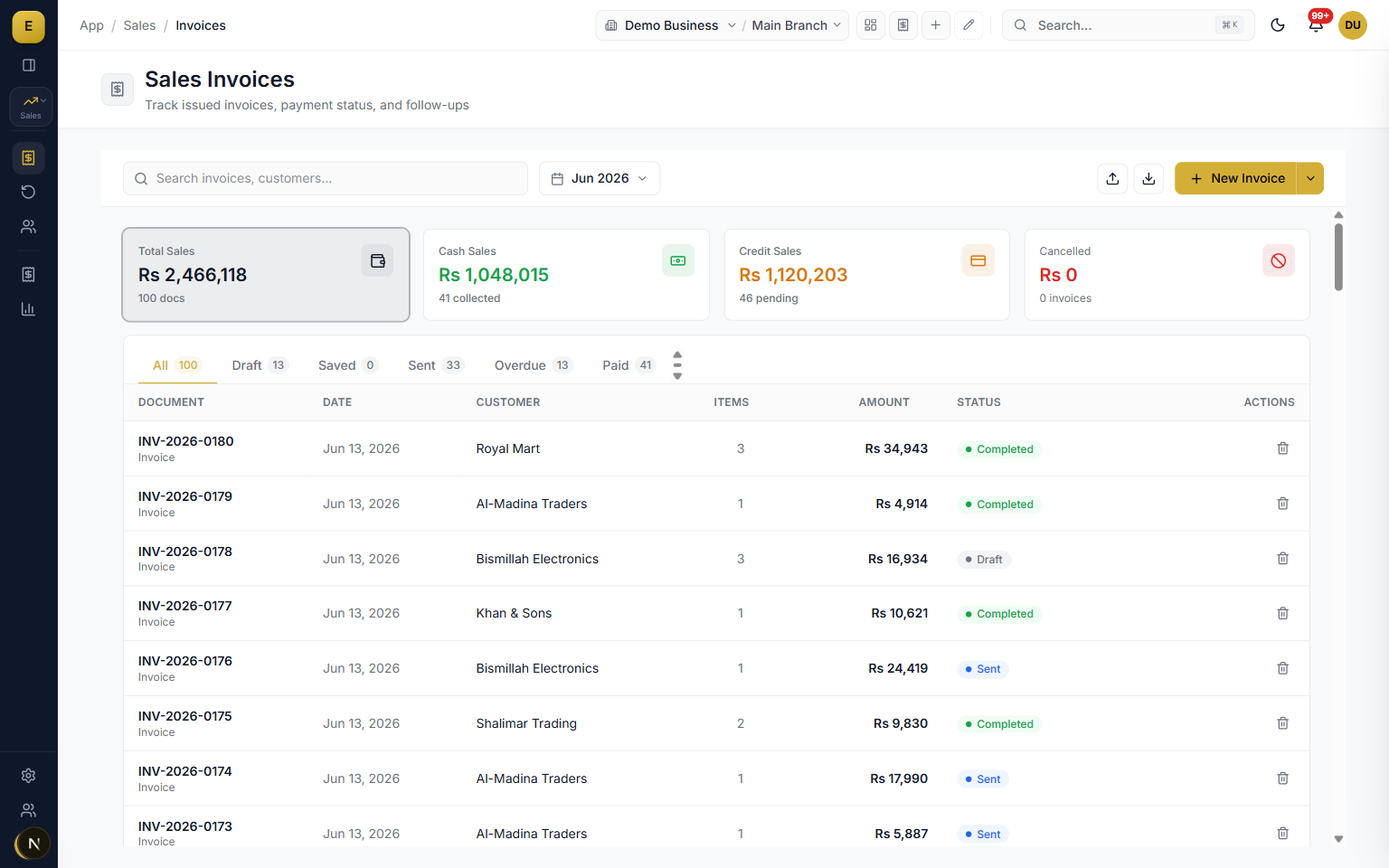
The sales module is the part of E-Khata Cloud where you create and track every document you send a customer. It covers five document types, Quotation, Sales Order, Delivery Order, Invoice, and Sales Return, and links them together so one set of line items flows through the whole cycle. Each document carries its own number series, status, and posting rules for stock and accounts.
The full sales document lifecycle
A sale rarely starts and ends with one piece of paper. E-Khata follows the real order of events so each step builds on the last without re-keying. You raise a quotation, convert it to a sales order with one action, turn it into a delivery note when goods leave the warehouse, and bill it as an invoice. When goods come back, you record a sales return against the original invoice.
- Quotation to order to delivery to invoice with no re-typing of products.
- A visual conversion chain shows linked documents so anyone can see where an order stands.
- Sales returns capture a reason, calculate the refund credit, reverse the accounting entry, and put stock back.
The line-items grid
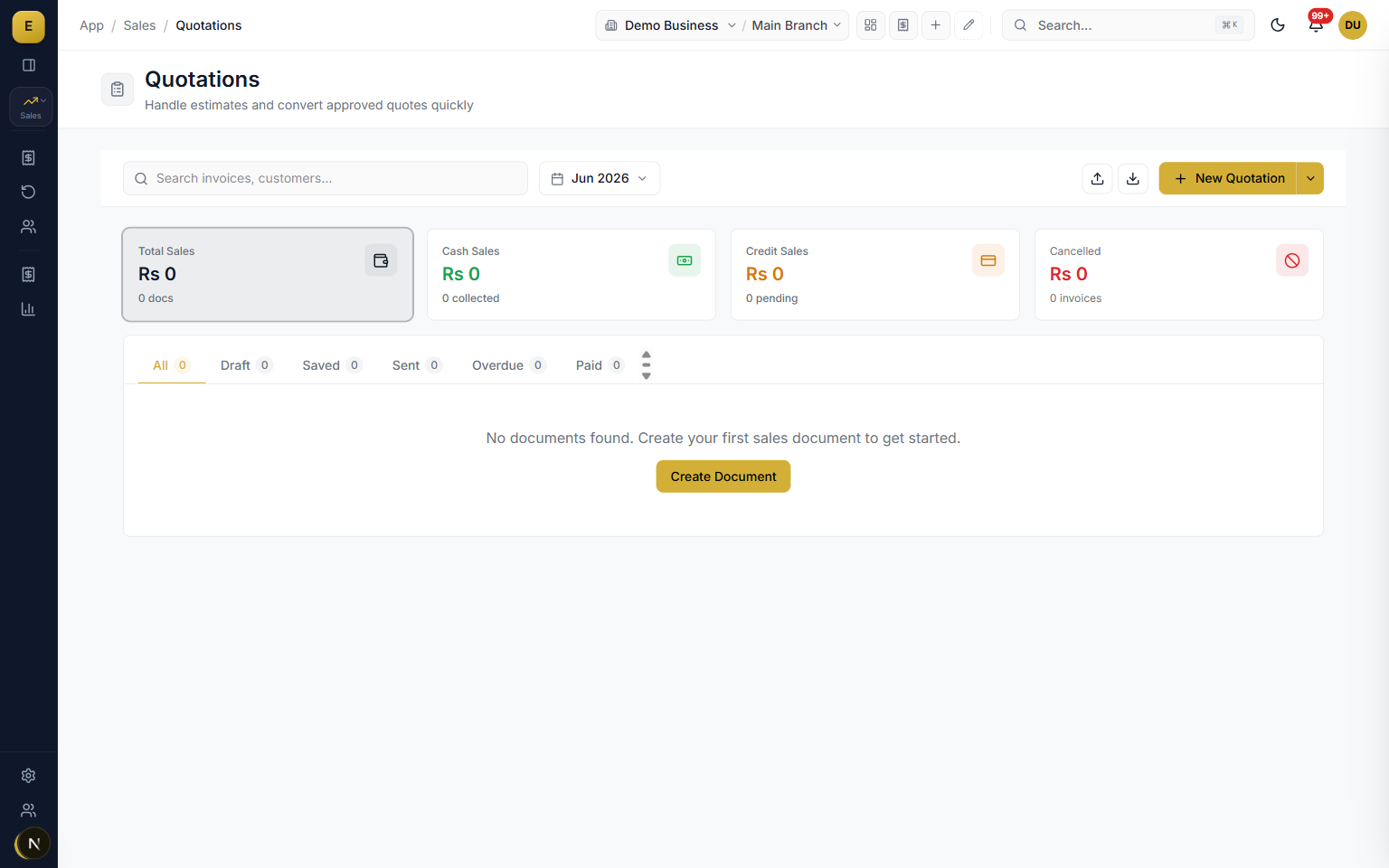
The heart of every document is a spreadsheet-style grid you can drive entirely from the keyboard. Each row holds a product, a warehouse, quantity, unit, rate, discount, and tax, and the amount calculates as you type. Subtotal, discount, tax, and grand total update on every keystroke, with the outstanding balance shown after any payment.
- Warehouse per line, so one invoice can pull stock from more than one location.
- Searchable product entry with unit conversions for piece, dozen, and carton.
- Keyboard-first: Tab moves between cells and Enter adds the next row.
- Live summary updates subtotal, discount, tax, and total as you type.
Payments: cash, bank, cheque, and udhar
E-Khata treats cash sales and credit sales as one workflow with different settlement. Record a payment in full to close an invoice as paid, or leave it part-paid and the balance moves to the customer ledger as udhar. The customer running balance, due date, and overdue status are tracked for you.
- Record money as cash, bank transfer, cheque, journal voucher, or party transfer.
- Party transfer settles one party balance against another through AR and AP accounts.
- Set payment terms as days from the invoice date and the due date calculates automatically.
- Overdue invoices flag themselves so you can chase payment before it becomes a problem.
FBR digital invoicing
E-Khata is built for FBR Digital Invoicing. Sales documents carry the metadata needed for compliance, so a sales-tax-registered business can submit invoices to FBR and print the returned Invoice Reference Number and QR code. Sales returns are reported back as credit notes so your output tax stays consistent.
- Submit each sales invoice through the FBR digital invoicing API.
- Print the returned Invoice Reference Number and QR code on the document.
- Credit notes report returns back to FBR so sales tax annexures stay consistent.
WhatsApp delivery and invoice branding
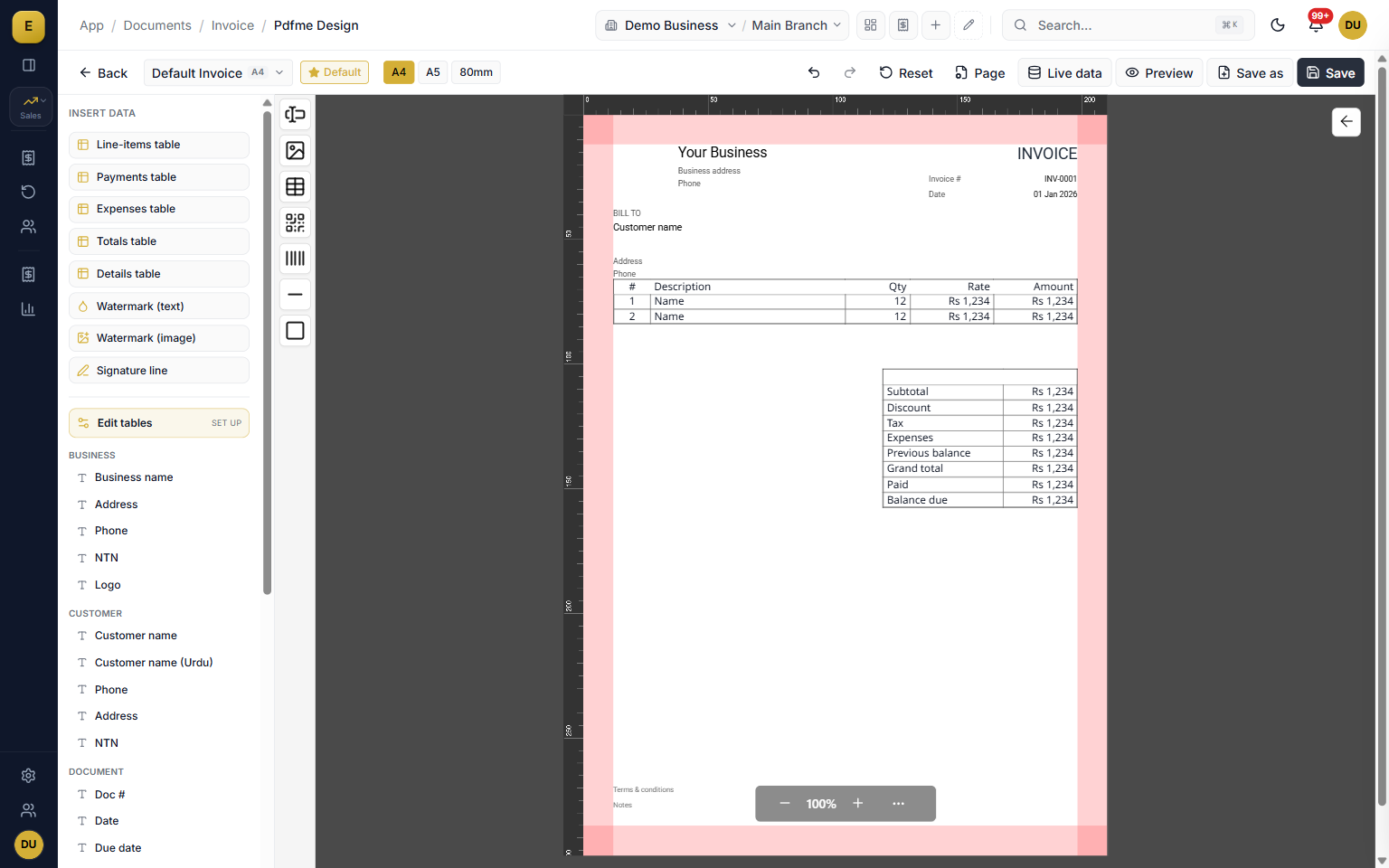
After you save a document you can share its PDF straight to the customer over WhatsApp or email without printing, which speeds up collection on udhar. Every document type can carry your own fields and a header you control, and a drag-and-drop template designer places tables, text, and images on A4, A5, or 80mm paper, including bilingual English and Urdu fields.
- Send quotations, delivery notes, invoices, and payment reminders over WhatsApp or email.
- Add custom fields such as PO number, vehicle number, salesperson, or project reference.
- Control whether your logo, company name, address, phone, email, and tax ID print.
- Design custom layouts with the drag-and-drop designer in English and Urdu.
Statuses, audit trail, and stock deduction
Each document moves through clear states: draft, sent, confirmed, delivered, paid, overdue, and cancelled. Every change is written to an amendment log with a before and after snapshot, the action, and the user, giving you a clean audit trail. A business setting controls whether stock comes out on invoice or on delivery, so a business that bills first and one that ships first are both handled correctly.
- Cancel a submitted invoice to reverse its accounting entries and stock movements, then restore with full re-posting.
- Choose the stock deduction point: on invoice or on delivery.
- Allow or block negative stock per your setting.
Who it is for
Frequently asked questions
Explore more of E-Khata
دیکھیں کہ آپ کا کاروبار ای کھاتا پر کیسے چلتا ہے۔
30 منٹ کی زوم یا واٹس ایپ کال۔ ہم آپ کو ای کھاتا دکھائیں گے۔

“میں یا میرا کو-فاؤنڈر ہر ڈیمو کال میں خود شامل ہوتا ہوں۔”
یا واٹس ایپ پر پیغام بھیجیں: +92 300 1676722 (1 گھنٹے میں جواب)۔